


Understanding the Invisible Forces
Google Vids
Where video production transforms into an everyday instructional tool.
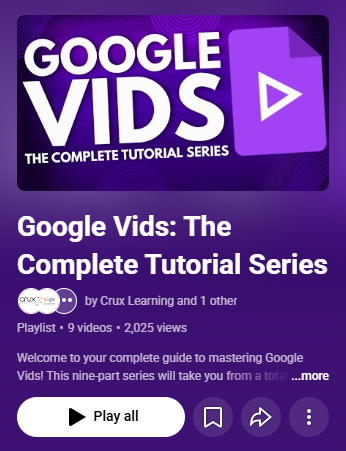
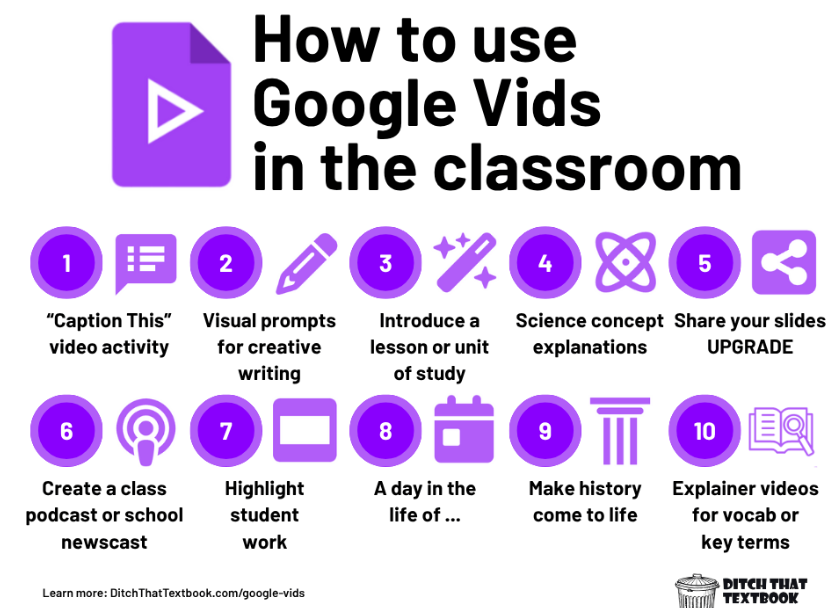
I have been using Google vids for a good year now and it is now my go to for many instructional moves in my classroom. Linked here is the complete guide for users that need that approach. I stumbled upon it like most teachers, “what’s this new thing that popped in the drive menu?” Here is the bigfoot guide to Google Vids.
As a special education teacher, I have a lot of students that need things read to them. In Vids, you can add your voice or an AI voiceover to read the content.
Level 2: Sighting the ‘Squatch (Intermediate)
Focus: Station rotation, and small-group instruction.
Cloning Yourself for Station Rotations: Set up a self-paced "Direct Instruction Station" running on Google Vids so you can pull small groups uninterrupted.
Chunked Scene Breakdown: Structure videos into bite-sized 60-second scenes or ‘pause video here’ guides, giving students with executive functioning challenges clear stopping points to process information.
The Teleprompter Advantage: Record quick, warm, 2-minute daily instructions or assignment overviews.
Put the student in the driver’s seat, allow them to play around with what the tool can do for them. Alternate presentations without the yawn!
Level 1: The First Footprint (Beginner)
Focus: Using existing materials.
Converting Slides into Video Assets: Turn existing Google Slides decks into simple, narrated video mini lessons with a single click.
Built-in Read-Aloud: Utilize AI text-to-speech voiceovers so students with reading accommodations can hear content spoken clearly without extra teacher prep.
Auto-Captions for Accessibility: Turn on automatic captions to meet visual-audio IEP requirements instantly for English learners and students with processing needs.
Level 3: Master of the Wilderness (Advanced)
Focus: Differentiation, student-created, and UDL integration.
Multi-Tiered Branching Instruction: Create a playlist of Vids tailored to different readiness levels (remediation, core, enrichment) that students navigate based on quick formative check-ins.
Student-Produced Accommodations: Flip the script by having students build their own Google Vids as an alternative assessment (e.g., demonstrating science concepts via video instead of written essays).
Collaborative Group Station Projects: Have student groups co-edit a single video project asynchronously, assigning specific scene roles (scriptwriter, media collector, voiceover reader).
What’s scary about a To-Do List…
Simple tools to help create, initiate, and tackle things on your to-do list can be a hassle in itself. I highly recommend the use of Google Keep. These tools are designed to help individuals manage tasks and overcome challenges related to planning, organizing, decision-making, emotional regulation, and time management. These features could be a game-changer for someone like Bigfoot—perhaps overwhelmed by the demands of staying hidden, navigating forests, and maintaining folklore-worthy status.
Here's how:

10. Dual Pane View
How it helps: Side-by-side viewing improves multitasking and simplifies the organization of complex objectives.
Supports executive functioning: Enhances decision-making and planning by allowing users to compare and adjust information in real-time.
Impact: Supports adaptability and goal-oriented actions by enabling a seamless workflow.
11. Format Text
How it helps: Highlighting key points supports prioritization, aiding organization and decision-making.
Supports executive functioning: Makes information more visually digestible, reducing stress and improving focus on critical tasks.
Impact: Facilitates goal-oriented actions by streamlining task execution through clear formatting.
12. Take Voice Notes
How it helps: Recording and transcribing thoughts reduces reliance on memory, supporting planning and organizing.
Supports executive functioning: Allows users to externalize ideas, helping with emotional regulation and decision-making by removing the pressure to immediately act on or remember details.
Impact: Encourages adaptability and problem-solving by capturing ideas for future action
1. Create Notes
How it helps: Capturing ideas immediately aids planning and organizing, reducing stress and improving focus on goal-oriented actions.
Supports executive functioning: Allows users to externalize thoughts, which helps with decision-making and emotional regulation by decluttering the mind.
Impact: Encourages adaptability to new circumstances by making it easier to track and prioritize tasks.
2. Set Reminders
How it helps: Time-based and location-based reminders ensure timely action, supporting better time management and planning.
Supports executive functioning: Helps users regulate emotions by reducing the anxiety of forgetting tasks while fostering goal accomplishment through structured reminders.
Impact: Promotes problem-solving and tackling complex objectives by keeping priorities top of mind.
3. Filter and Search
How it helps: Quickly locating notes minimizes wasted time and supports effective organization.
Supports executive functioning: Reduces emotional overwhelm by streamlining information retrieval, aiding decision-making.
Impact: Enhances adaptability by making it easy to pivot between tasks or find relevant details when plans change.
4. Share Thoughts
How it helps: Sharing notes facilitates collaboration and reduces the pressure of managing tasks alone, aiding in emotional regulation.
Supports executive functioning: Encourages decision-making and problem-solving through input from others while strengthening goal-oriented teamwork.
Impact: Creates a supportive environment where planning and adjusting to new circumstances become more manageable.
5. Collaborate
How it helps: Real-time collaboration fosters teamwork, helping users organize tasks and distribute responsibilities.
Supports executive functioning: Improves decision-making and planning by leveraging group input, while reducing emotional stress through shared accountability.
Impact: Strengthens goal-oriented actions by aligning efforts toward shared objectives.
6. Organize with Colors and Labels
How it helps: Visual cues like colors and labels make prioritization intuitive, supporting planning and organizing.
Supports executive functioning: Reduces cognitive load, helping with decision-making and emotional regulation by creating a clear system.
Impact: Enhances adaptability to changing goals and tasks by categorizing and reorganizing priorities easily.
7. Pin Notes
How it helps: Keeping high-priority tasks visible aids time management and ensures focus on critical goals.
Supports executive functioning: Reduces emotional stress by providing clarity and quick access to essential information.
Impact: Encourages problem-solving and task completion by focusing attention on immediate needs.
8. Sync Across Devices
How it helps: Accessible notes reduce the risk of losing vital information, supporting planning and decision-making.
Supports executive functioning: Eases emotional regulation by ensuring consistency and reliability across devices.
Impact: Facilitates adaptability and goal-oriented actions by maintaining continuity in task management.
9. Use Widgets
How it helps: Quick access to notes or reminders aids time management and reduces distractions.
Supports executive functioning: Improves planning and organizing by making tools instantly available, reducing decision fatigue.
Impact: Enhances problem-solving by providing immediate access to resources for tackling tasks.
Long Story Short…
These tools are invaluable for people of all ages, offering support for a wide range of purposes—from managing daily tasks to achieving long-term goals. They enhance planning, organization, decision-making, emotional regulation, and time management by providing practical solutions like note-taking, reminders, and collaborative features. Whether you're a student juggling assignments, professional managing deadlines, or a parent keeping track of family schedules, these tools simplify complex tasks and help maintain focus. By reducing mental load and improving efficiency, they empower individuals to adapt to challenges, stay organized, and accomplish objectives with greater ease and confidence.